



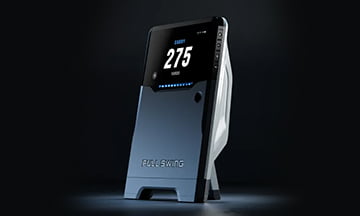














Full Swing App: Access Your Golf Simulator Data on Your Phone Now
Posted: August 14, 2026
With the latest update to the Full Swing app, your simulator data is now available right on your phone.
You can access your practice sessions and course play statistics directly from the app — no separate setup, no extra hardware, just your phone and your login.
To get started, simply download the Full Swing app and create an account.
A Personalized Driving Range Experience
The Full Swing app lets you set up the exact clubs you play with, creating a more personalized experience every time you step onto the Full Swing Driving Range.
Head to “My Bag” in the app to customize your clubs, including their nicknames and colors. Once your bag is set up, it’s ready to go whenever you start a range session.
Every Range Session, Broken Down for You
When you head to the Full Swing Driving Range, choose “Track My Performance” to start tracking your session.
Once you’re finished, your session automatically syncs to your smartphone — no exporting and no manual entry required.
Open the Full Swing app and you’ll be able to explore:
-
Club Accuracy & Dispersion Charts
See where your shots are landing and understand your dispersion for each club.
-
Clubs Used
Get a breakdown of every club you hit throughout your session.
-
Club Averages
Review key performance numbers including carry, ball speed, spin rate, and more, averaged by club.
-
Individual Shot Drill-Down
Tap into any club to see every individual shot you hit with it and take a closer look at your performance.
-
Aggregate Session Stats
See the full picture of your performance across the entire range session.
-
Share Your Session
Send your session directly to your coach or keep it saved for your own records.
-
Improved Shot Tracer
Control which tracers appear on the range and enjoy improved visuals while you practice.
Your Course Data, Saved Automatically
Your data doesn’t stop at the driving range. Play a course round while logged in, and your round will automatically appear in your Activity feed once the session is complete.
You’ll be able to review your course information, holes, tees, and format played, along with a full scoreboard showing your score on every hole.
The app also saves key round statistics, including:
- Driving distance
- Greens in regulation (GIR)
- Total putts
- Scrambling percentage
Supported Game Modes
Course data is currently supported for:
- Stroke Play
- Scramble
- Best Ball
With your range sessions and course rounds automatically saved to the Full Swing app, it’s easier than ever to keep track of your game, review your performance, and take your simulator data with you wherever you go.